Multi-Location Retail
This guide covers gift cards for retailers with several physical locations. It covers a single Shopify store with several locations, and separate Shopify stores per location or region.
Scenario A — One Shopify store, several locations
This is the simpler setup. All your POS devices connect to one Shopify store.
How gift cards work
- A card issued at any location is valid at every location, because they share one store.
- Balances are the same everywhere. A card used at one till shows the new balance at the others.
POS setup
- Install Gift Card Hero on your store (once).
- In Shopify POS, add the Gift Hero tile to the smart grid on each device.
- Staff tap the tile to open Gift Hero Tools: Check Balance, Reload Gift Card and Register Gift Card.
You set up the tile once on each device. There is no per-location configuration in Gift Card Hero. See POS Integration.

What staff can do is set once for the whole store, under POS tools → Shopify POS. If you've turned off Register gift cards or Balance changes there, the matching button shows "Action not allowed". For tills that don't run Shopify POS, see Gift Hero POS.
Reporting by location
Gift Card Hero's Analytics shows your whole store. It doesn't split activity by location. For a per-location view, use Shopify's own reports (Analytics in Shopify admin), which can group sales by POS location.
Physical card stock
Gift Card Hero doesn't track which location holds which cards. If you sell printed cards, count the stock at each location and reconcile against the Uploaded gift codes list centrally. See Managing Physical Gift Card Inventory.
Scenario B — A separate Shopify store per location or region
By default, a card from store A doesn't work in store B. Gift Card Hero's Multi-Store feature links the stores so that each card exists in every store with the same code and balance.
Set up a network
- Install Gift Card Hero on every store. Each store has its own subscription.
- Check that all stores use the same store currency. A store with a different currency can't join a network.
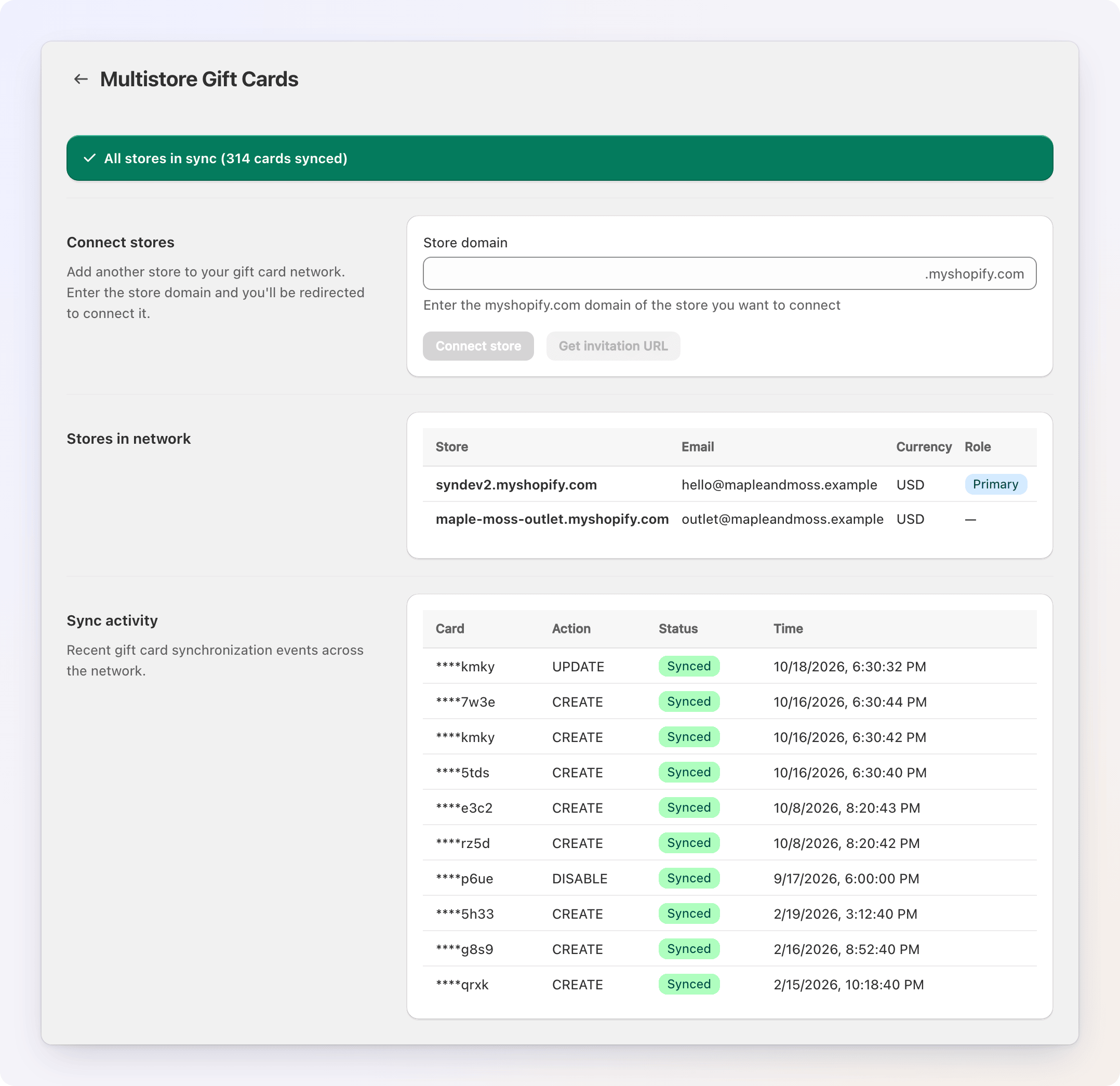
- On the primary store (usually your main store), open the Multistore Gift Cards page (see how to open it) and enter the other store's
.myshopify.comname. - Click Connect store, or Get invitation URL and send the link to the other store's manager.
- On the other store, click Join network.
Repeat for each store. The first store to send an invitation becomes the primary store.
What to know
- Currency. Networks are single-currency. If your regions use different currencies, keep those stores separate, or sell cards in market currencies inside one store instead.
- Analytics. Each store's Analytics shows only its own activity. To compare stores, export each report and combine them.
- Sync takes a moment. A new card or a new balance reaches the other stores shortly after it is created or used. The status banner on the network page shows whether everything is in sync.
- POS. A printed card sold in POS is only known to the network after it is synced. Right after the sale, or from the order in POS, tap Sync gift card to network and scan the card.
Where to issue cards
Choose one approach:
- Central issuance — all cards are issued from the primary store. Simpler accounting.
- Local issuance — each store issues its own cards, and they work everywhere. More flexible for stores.
Staff training
For POS staff at any location:
- Check a balance — tap Check Balance in the Gift Hero tile, then scan or type the code.
- Accept a card — nothing special. Shopify POS redeems gift cards.
- Issue a card — use Register Gift Card for a printed card, or the sales flow for a new card. In a network, remember the Sync gift card to network step for printed cards.
- "Gift card not found" — in a network, the card may not have synced yet. Ask the customer to wait a few minutes, or ask head office to check Sync activity on the network page.
Franchise model
If locations are owned independently, decide:
- Who owns the gift card liability when a card is issued at one franchise and used at another
- How to settle those redemptions between franchisees
- Whether some locations may redeem cards but not issue them
Gift Card Hero doesn't settle money between locations. That is an accounting matter between you and your franchisees.