Webhooks Integration Guide
Gift Card Hero sends HTTP POST requests to your server when specific gift card events occur. Use webhooks to keep external systems in sync with gift card activity in real time.
Setup
- Go to For Developers in the left navigation
- Enable the REST API if not already enabled
- Click Generate Secret to create a webhook signing secret
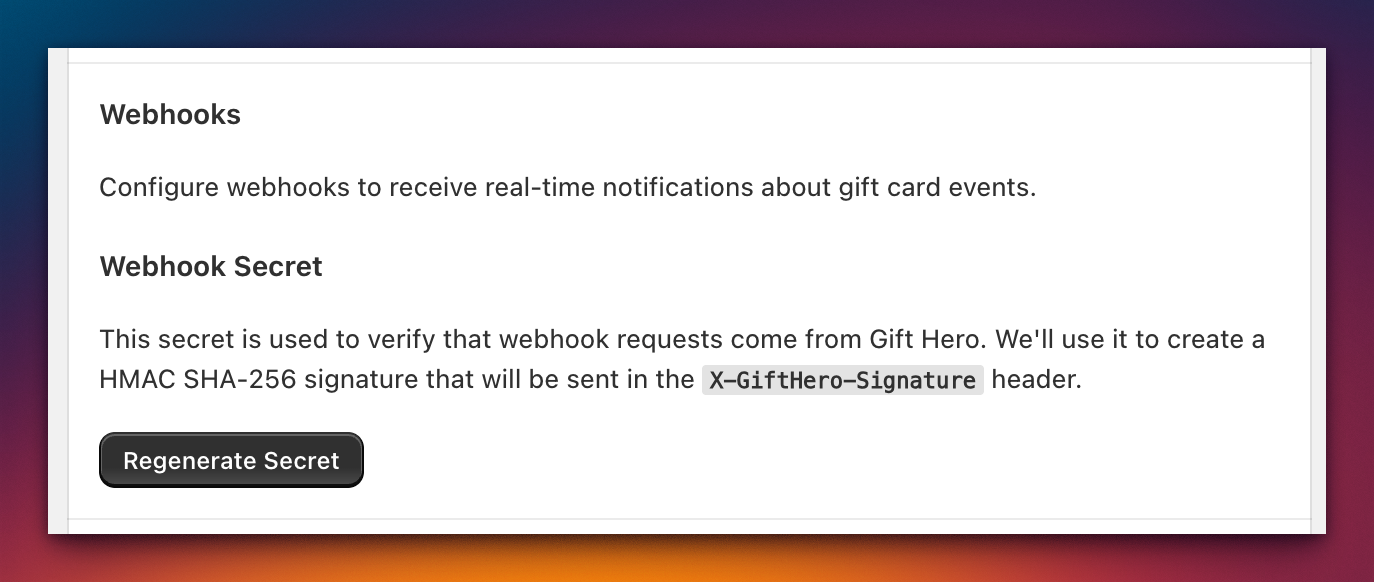
Important: The webhook secret is shown only once. Copy and store it securely. If you lose it, click Regenerate Secret to create a new one (and update your server accordingly).
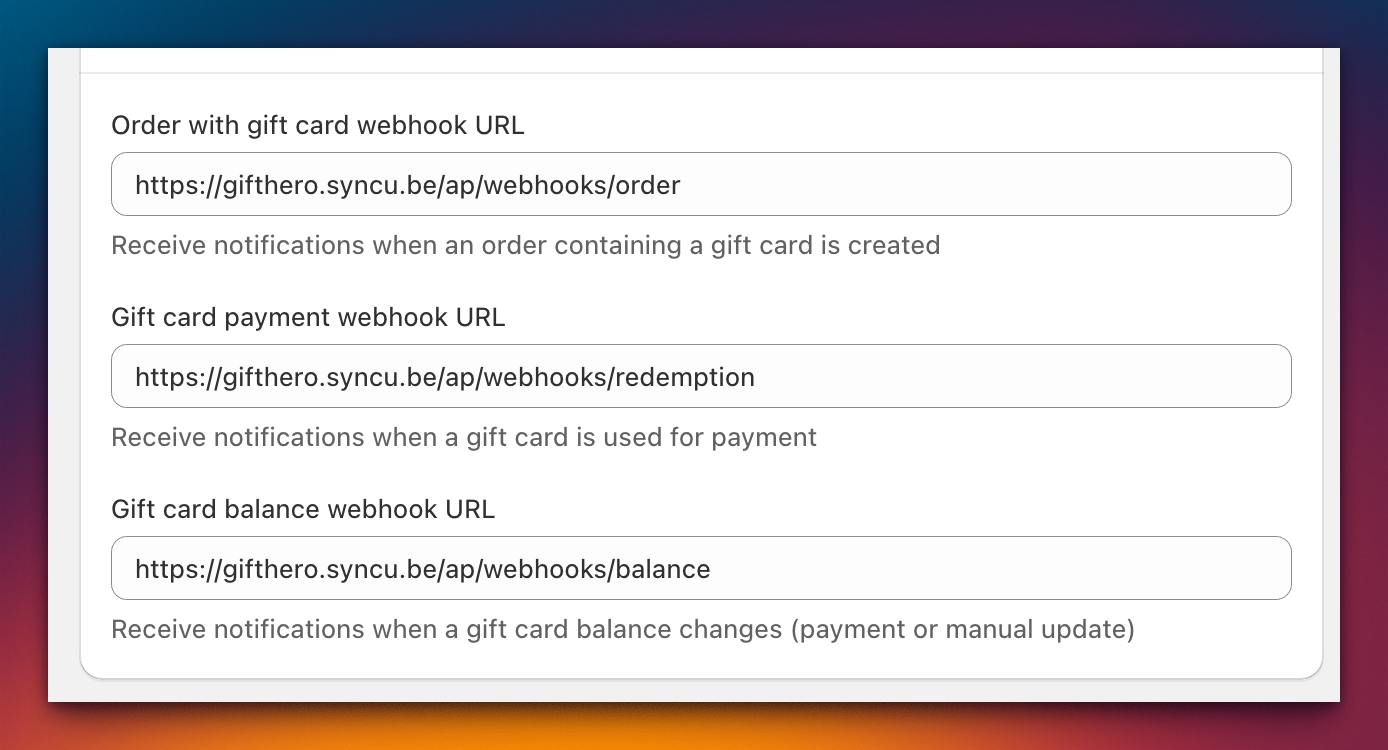
- Enter your endpoint URLs for each webhook type you want to receive
Event types
Gift Card Hero supports three webhook event types:
| Event | Topic header value | When it fires |
|---|---|---|
| Gift card order | gift_card_order |
An order containing a gift card product is created |
| Gift card payment | gift_card_payment |
A gift card code is applied as payment at checkout |
| Gift card balance change | gift_card_balance |
A gift card's balance is modified (top-up, redemption, or manual adjustment) |
Delivery
- Method: POST
- Timeout: 6 seconds
- Retries: Up to 5 retries with exponential backoff (starting at approximately 30 seconds)
If your endpoint does not return a 2xx response within 6 seconds, the delivery is considered failed and will be retried.
Headers
Every webhook request includes the following headers:
| Header | Value |
|---|---|
Content-Type |
application/json |
User-Agent |
GiftHero-Webhooks/1.0 |
X-GiftHero-Topic |
The event type (e.g., gift_card_order) |
X-GiftHero-Signature |
HMAC-SHA256 signature for verification |
Signature verification
The X-GiftHero-Signature header contains an HMAC-SHA256 signature, hex-encoded and prefixed with sha256=.
Important: The signature is computed over a JSON object containing only
{ type, timestamp }from the payload body — NOT the entire request body.
Verification steps
- Parse the request body and extract the
typeandtimestampfields - Construct the signing payload:
JSON.stringify({ type, timestamp }) - Compute the HMAC-SHA256 using your webhook secret as the key
- Hex-encode the result and prefix with
sha256= - Use a constant-time comparison to compare with the
X-GiftHero-Signatureheader
Example (Node.js)
const crypto = require('crypto');

function verifyWebhook(body, signature, secret) {
  const signingPayload = JSON.stringify({
    type: body.type,
    timestamp: body.timestamp
  });

  const expected = 'sha256=' + crypto
    .createHmac('sha256', secret)
    .update(signingPayload)
    .digest('hex');

  return crypto.timingSafeEqual(
    Buffer.from(signature),
    Buffer.from(expected)
  );
}
Payload schemas
Gift card order (gift_card_order)
Sent when an order containing a gift card product is created.
{
  "type": "gift_card_order",
  "timestamp": "2026-03-15T10:30:00.000Z",
  "order": {
    "id": "5551234567890",
    "name": "#1042",
    "email": "buyer@example.com",
    "createdAt": "2026-03-15T10:30:00.000Z",
    "lineItems": [
      {
        "id": "11198765432100",
        "title": "Gift Card",
        "quantity": 1,
        "price": "50.00"
      }
    ]
  },
  "giftCards": [
    {
      "id": "987654321",
      "code": "****-****-****-AB12",
      "sku": "GC-50",
      "lineItemId": "11198765432100",
      "balance": "50.00",
      "currency": "USD",
      "lastCharacters": "AB12",
      "initialValue": "50.00",
      "customer": {
        "email": "buyer@example.com"
      },
      "recipient": {
        "email": "friend@example.com"
      }
    }
  ]
}
Gift card payment (gift_card_payment)
Sent when a gift card code is applied as payment at checkout.
{
  "type": "gift_card_payment",
  "timestamp": "2026-03-16T14:22:00.000Z",
  "order": {
    "id": "5551234567891",
    "name": "#1043",
    "email": "shopper@example.com",
    "createdAt": "2026-03-16T14:22:00.000Z",
    "lineItems": [
      {
        "id": "11198765432200",
        "title": "Running Shoes",
        "quantity": 1,
        "price": "89.99"
      }
    ]
  },
  "giftCards": [
    {
      "id": "987654321",
      "code": "****-****-****-AB12",
      "sku": "GC-50",
      "lineItemId": null,
      "balance": "0.00",
      "currency": "USD",
      "lastCharacters": "AB12",
      "initialValue": "50.00",
      "customer": {
        "email": "shopper@example.com"
      },
      "recipient": null
    }
  ],
  "transaction": {
    "id": "txn_abc123",
    "amount": "50.00",
    "currency": "USD",
    "type": "debit",
    "createdAt": "2026-03-16T14:22:00.000Z"
  }
}
Gift card balance change (gift_card_balance)
Sent when a gift card's balance is modified through any means (top-up, redemption, or manual adjustment).
{
  "type": "gift_card_balance",
  "timestamp": "2026-03-17T09:15:00.000Z",
  "giftCard": {
    "id": "987654321",
    "code": "****-****-****-AB12",
    "balance": "75.00",
    "currency": "USD",
    "lastCharacters": "AB12",
    "previousBalance": "50.00"
  },
  "change": {
    "amount": "25.00",
    "type": "credit",
    "reason": "manual_adjustment",
    "createdAt": "2026-03-17T09:15:00.000Z"
  },
  "order": null
}
The order field is included when the balance change is associated with an order (e.g., a checkout redemption) and is null for manual adjustments.
Best practices
- Return 2xx quickly — acknowledge the webhook immediately and process the payload asynchronously. Responses taking longer than 6 seconds are treated as failures.
- Handle duplicates — the same event may be delivered more than once due to retries. Use the
timestampand event data to deduplicate. - Verify HMAC signatures — always verify the
X-GiftHero-Signatureheader before processing any webhook payload. Reject requests with invalid signatures. - Use idempotency keys — design your webhook handler to be idempotent so that processing the same event twice produces the same result.
- Monitor failures — if your endpoint is consistently failing, Gift Card Hero stops retrying after 5 attempts. Check your server logs and endpoint health regularly.