Headless Integration
Gift Card Hero supports headless Shopify storefronts that do not use Shopify's standard theme system. Enable headless mode to get an integration code snippet you embed in your custom storefront.
Step 1: Enable headless mode
Go to For Developers in the left navigation and toggle Enable Headless Mode to on.

Step 2: Copy the integration code
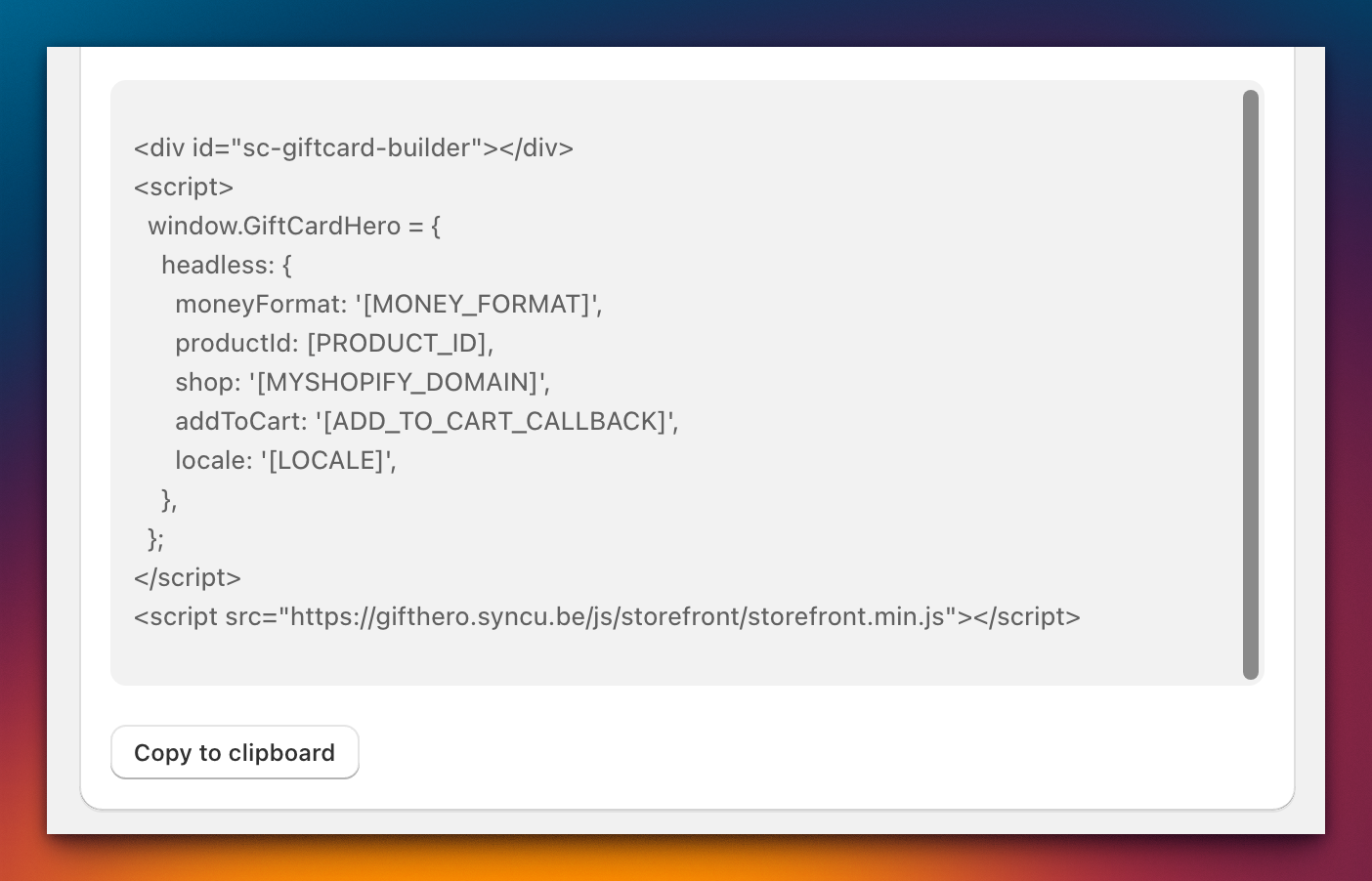
Once headless mode is enabled, a code snippet appears on the page. Copy this snippet — it contains the JavaScript and configuration needed to load Gift Card Hero on your storefront.
Step 3: Replace placeholders
The code snippet contains placeholder values that you must replace with your store's specific information:
| Placeholder | Replace with | Example |
|---|---|---|
[MONEY_FORMAT] |
Your store's money format string | ${{amount}} |
[PRODUCT_ID] |
Your gift card product's Shopify numeric ID | 7654321098765 |
[MYSHOPIFY_DOMAIN] |
Your store's .myshopify.com address |
my-store.myshopify.com |
[ADD_TO_CART_CALLBACK] |
A JavaScript function that handles adding items to the cart | addItemToCart |
[LOCALE] |
The active store locale | en |
Money format
The money format string determines how prices are displayed. You can find your store's money format in Shopify Admin under Settings > General > Store currency.
Common formats:
${{amount}}— US dollars{{amount}} EUR— Euros${{amount}} CAD— Canadian dollars
Product ID
To find your gift card product's Shopify ID:
- Open Shopify Admin
- Go to Products
- Click on your gift card product
- Look at the URL in your browser's address bar — the numeric ID is at the end
For example, if the URL is https://admin.shopify.com/store/my-store/products/7654321098765, the product ID is 7654321098765.
Add to cart callback
The [ADD_TO_CART_CALLBACK] placeholder should be replaced with a JavaScript function name that your storefront uses to add items to the cart. This function receives the gift card variant and custom data from Gift Card Hero.
Locale
The [LOCALE] placeholder sets the language for the Gift Card Hero interface. Use a standard locale code such as en, fr, de, es, or ja. Defaults to en if omitted.
After integration
Once the snippet is embedded and placeholders are replaced, Gift Card Hero renders its gift card selection interface on your storefront. You can further customize the experience using the Storefront API for programmatic control over the gift card builder.