What is Gift Card Hero?
Gift Card Hero is a Shopify app that extends Shopify's built-in gift card functionality with eGift card delivery, physical gift card management, POS integration, bulk operations, and detailed analytics — everything you need to run a professional gift card program.
What problem does it solve?
Shopify's native gift cards let you issue codes and track balances, but they don't provide:
- Branded email delivery when a gift card is purchased
- A way for customers to buy gift cards for others directly on your storefront
- Physical gift card code management
- Meaningful analytics (who's buying, what's the redemption rate, unused balance)
- Bulk generation and sending to lists of recipients
- POS-specific tools for staff to check balances and issue cards at the counter
Gift Card Hero fills these gaps while staying fully compatible with Shopify's native gift card system.
Core features
eGift Cards
Sell digital gift cards on your storefront. Customers choose a design and denomination, fill in the recipient's name and a personal message, and the recipient gets a beautifully designed email with their code. Everything is built on Shopify's native gift card infrastructure, so balances work everywhere Shopify does.

Physical Gift Cards
Sell printed cards in store or online. Upload the printed codes so each card is activated with the amount paid when it's sold, or import codes that already carry a balance. Cards can be assigned to orders automatically or activated at the counter in Shopify POS.
POS Integration
A dedicated Shopify POS tile lets your staff check gift card balances, issue new cards, process refunds to a gift card, and look up a customer's cards — all without leaving the POS screen.
Gift Hero POS
On Square, Clover, Lightspeed or another register? Gift Hero POS is a web app that runs on any phone or tablet next to it. Staff sell and print gift cards, redeem them, and register printed cards, and every balance lands in Shopify in real time.
Bulk Operations
Generate hundreds of gift card codes at once, send them to a CSV list of recipients, or update existing cards in bulk. Useful for corporate gifting, loyalty programs, and promotional campaigns.
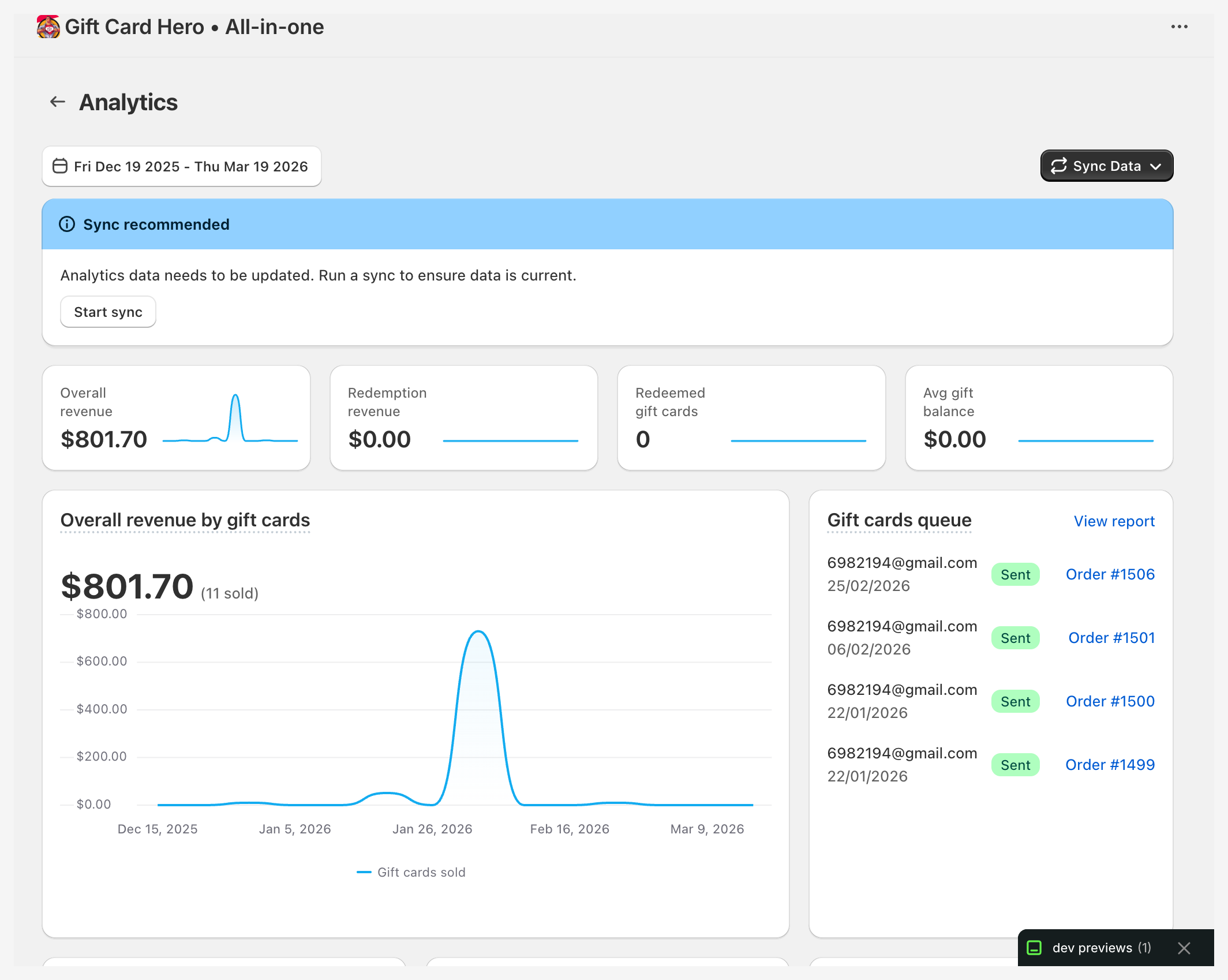
Analytics & Reporting
Track sales, redemptions, unused balances, and sales lift — the incremental revenue that comes from customers spending more than their card value. See Dashboard & Analytics.
Customer notifications
Email customers who haven't used their gift card balance after a set period, and tell cardholders — and, if you choose, the customer who bought the card — when a card is used or runs out. Notifications can go through Gift Card Hero, your own mail server (SMTP) or Klaviyo. See Unused Balance Reminders and Redemption Notifications.
Reload / Top-up
Let customers or your team add funds to an existing gift card — useful for store credit programs and loyalty rewards.
Multi-store
Share gift card balances across multiple Shopify stores in a network. Cards issued in one store can be redeemed in another.
Promotions and Loyalty
Issue gift cards automatically when an order meets rules you set (Promotions), or reward customers with store credit through workflows and spend tiers (Getting Started with Loyalty). These cards appear on your home page only when they are enabled for your store.
Multiple currencies
If you sell in several currencies through Shopify Markets, you can issue gift cards in any currency your markets enable.
Who is it for?
Gift Card Hero is designed for Shopify merchants who:
- Sell in-person and online and need consistent gift card handling across both
- Want to offer a polished, branded gift card experience
- Run corporate gifting or bulk sales programs
- Operate multiple store locations or Shopify stores
- Want data on how their gift card program is performing
How it works with Shopify
Gift Card Hero does not replace Shopify's gift card system — it extends it. All gift cards are stored in your Shopify admin and appear in your Shopify financial reports. The app adds a layer on top: branded delivery, a better storefront experience, analytics, and operational tools.
Your home page
When you open Gift Card Hero in Shopify admin, you land on the home page (titled Dashboard). From top to bottom it shows:
- Setup guide — five tasks (create your first gift card, enable the balance check widget, configure the email template, set up physical gift cards, enable balance reminders). Each task has a Set up button and ticks itself off when done. Click Dismiss or Skip setup guide to hide it.
- Key metrics — gift cards sold, total revenue, redeemed cards, redemption revenue and unused balance for the last 30 days.
- App Blocks Status — whether the Gift Card Hero app embed is switched on in each of your themes, with a button to activate it. See Installation & Setup.
- Tips — short banners about POS, the gift card builder customizer and storefront reloads. Close any banner you don't need.
- Feature tiles — shortcuts to Analytics, Bulk operations, Customer notifications, Top-up & Reload, the Help center and What's new (plus Promotions and Loyalty & Rewards when enabled).
- Recent gift card queue — the latest gift cards waiting to be sent or already sent.
- Apps that work well with Gift Card Hero — see below.
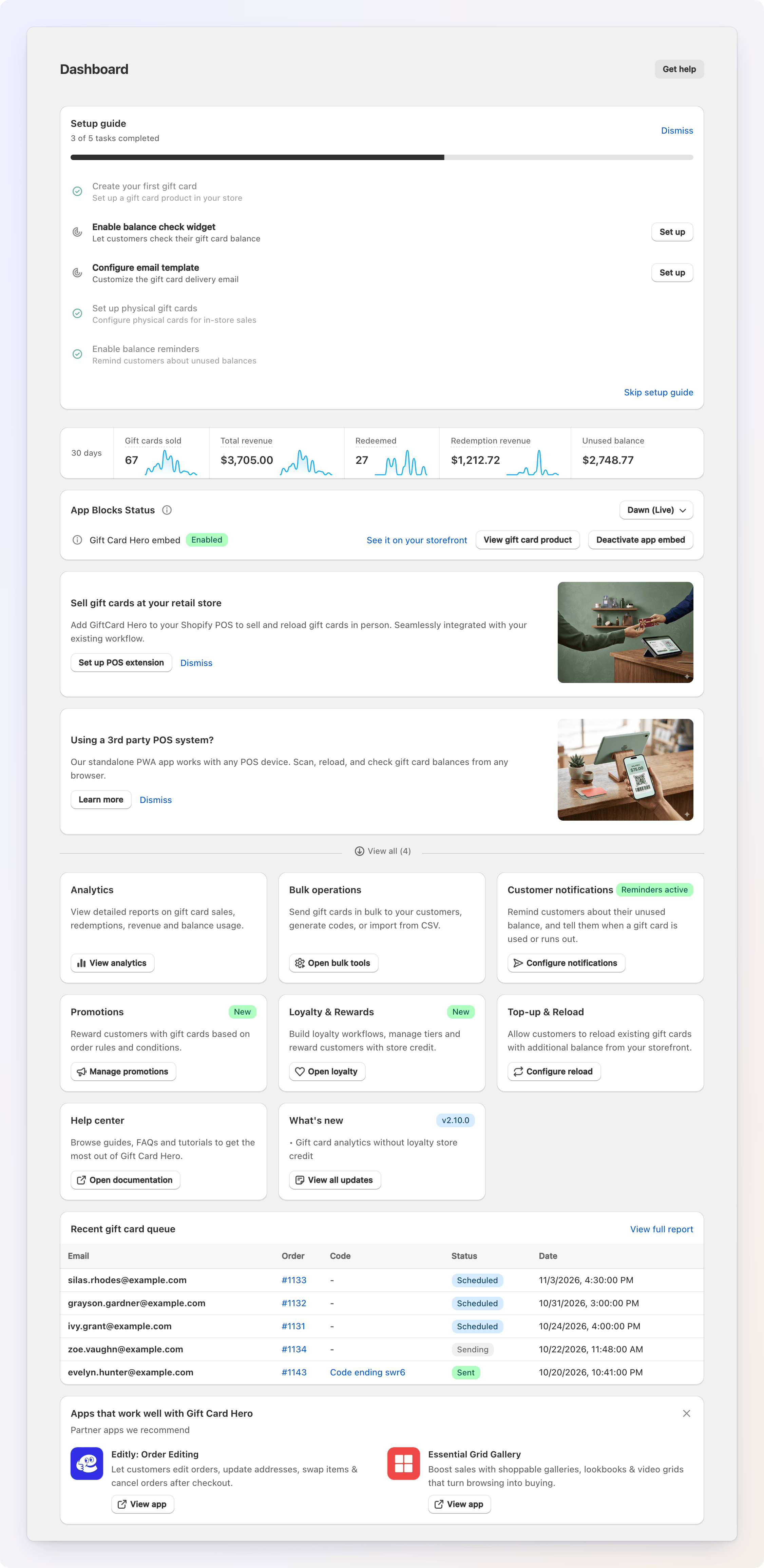
The page also has Get help to chat with support and, if you are on the Pay as you go plan, Upgrade plan.
Partner apps
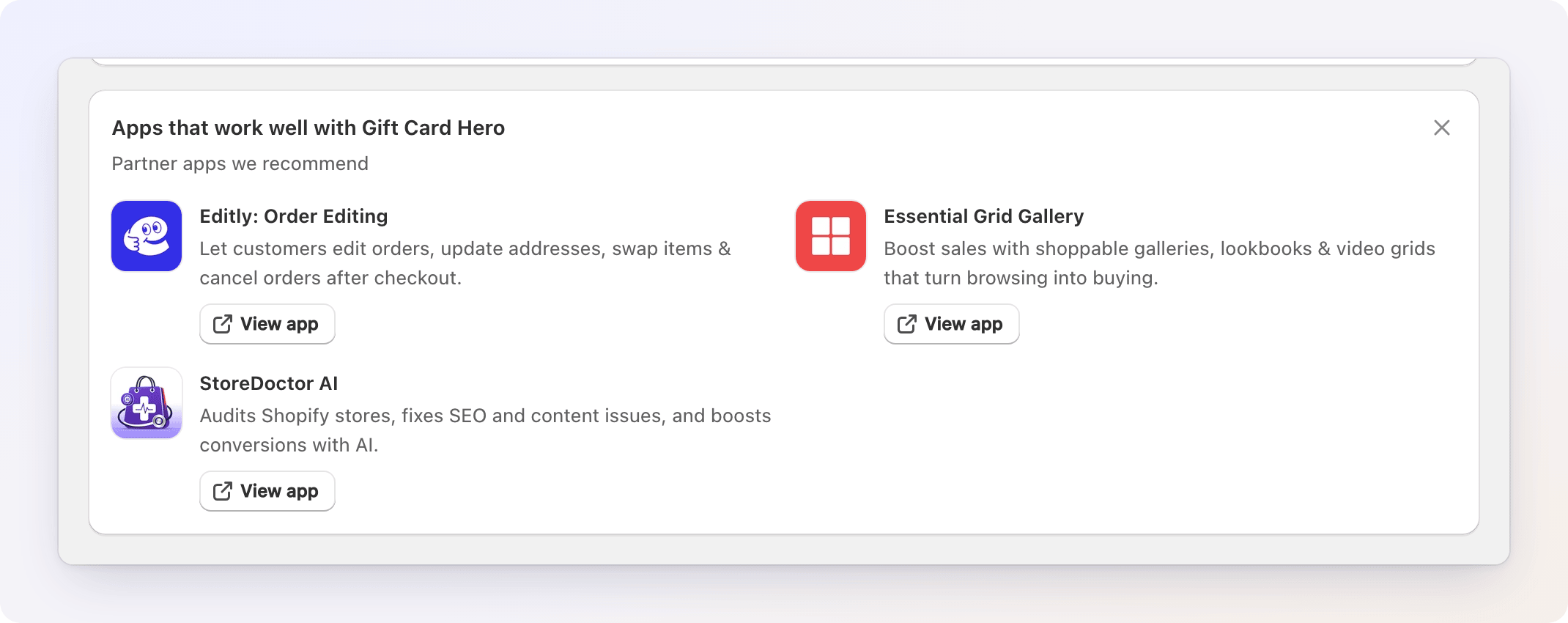
At the bottom of the home page you may see a block called Apps that work well with Gift Card Hero. It lists apps from partner companies that we recommend, each with a View app button that opens its Shopify App Store page. Partners change over time, and the block disappears on its own when there are none. Click the X in its corner to close it; it stays closed for everyone on your store.
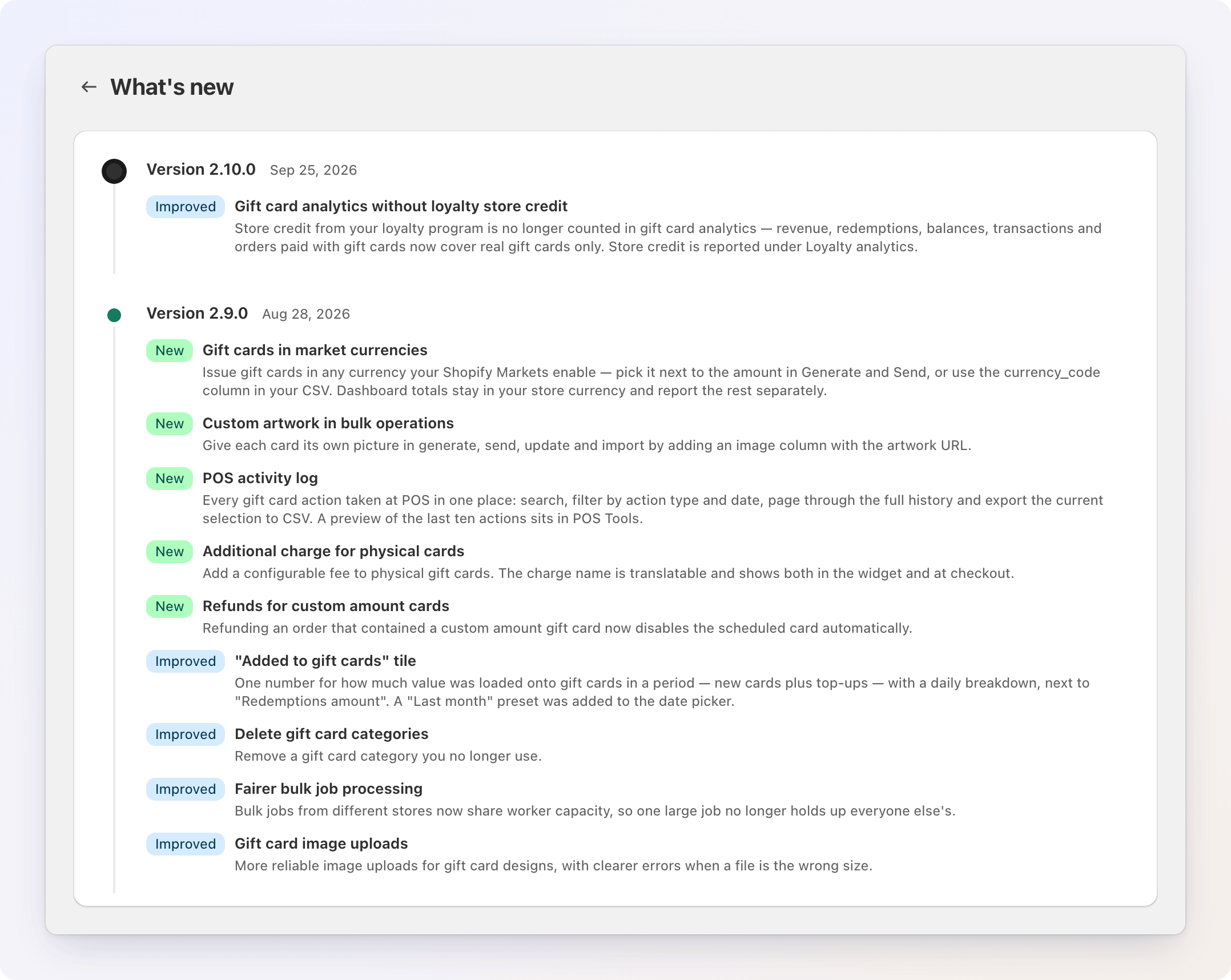
What's new
The What's new tile shows the latest release. Click View all updates to open the full list of releases, each marked New, Improved or Fix.