Gift Card Hero REST API
The REST API lets you manage gift cards programmatically from external systems — CRMs, analytics dashboards, loyalty platforms, fulfillment services, and more.
Base URL
All API requests use the following base URL:
https://gifthero.syncu.be/api/external
Authentication
Every request must include a Bearer token in the Authorization header:
Authorization: Bearer YOUR_API_TOKEN
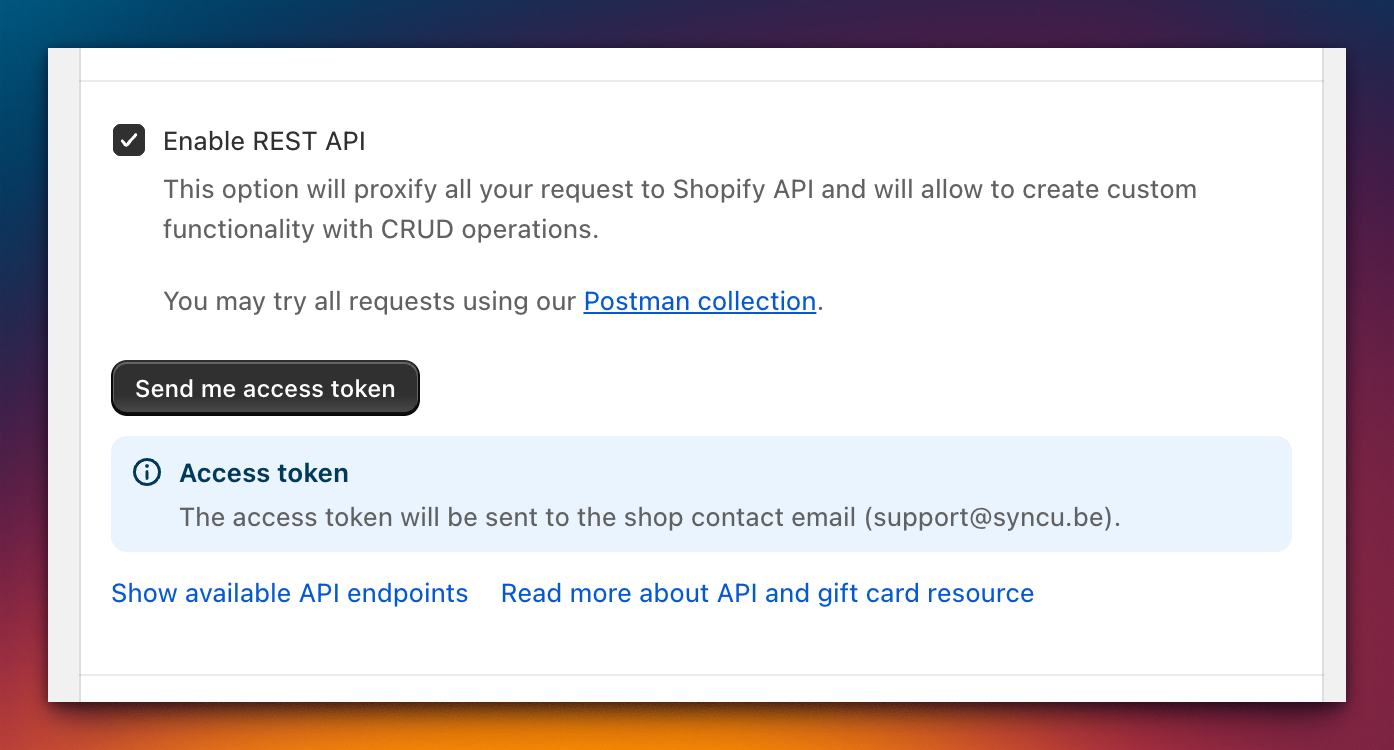
To obtain your API token, go to For Developers in the left navigation and enable the REST API. Click Send me access token — the token is sent to your store's admin email address.
Endpoints
List gift cards
GET /gift-cards
Parameters:
| Parameter | Type | Description |
|---|---|---|
status |
string | Filter by gift card status |
limit |
integer | Maximum number of results (max 250) |
since_id |
string | Return results after this gift card ID |
fields |
string | Comma-separated list of fields to include |
List gift cards with transactions
GET /gift-cards/transactions
Returns gift cards with their full transaction history. Supports cursor-based pagination.
Pagination:
| Parameter | Type | Description |
|---|---|---|
limit |
integer | Results per page (default 50) |
page_info |
string | Cursor for the next page of results |
Filters:
| Filter | Type | Description |
|---|---|---|
query |
string | Search query |
balance_status |
string | One of: full, partial, empty, full_or_partial |
created_at |
string | Filter by creation date |
expires_on |
string | Filter by expiration date |
source |
string | One of: manual, purchased, api_client |
status |
string | One of: disabled, enabled, expired, expiring |
initial_value |
string | Filter by initial value |
All filters use AND logic when combined.
Get a single gift card
GET /gift-cards/{gift_card_id}
Returns the full details of a single gift card by its ID.
Create a gift card
POST /gift-cards
Request body:
{
  "note": "Loyalty reward",
  "initial_value": "50.00",
  "code": "ABCD-EFGH-IJKL-MNOP",
  "template_suffix": "custom"
}
| Field | Type | Required | Description |
|---|---|---|---|
note |
string | No | Internal note for the gift card |
initial_value |
string | Yes | Starting balance |
code |
string | No | Custom gift card code (must be unique; auto-generated if omitted) |
template_suffix |
string | No | Shopify template suffix |
Important: Gift card codes cannot be retrieved after creation. Only the last 4 characters are returned in subsequent API responses. Store the full code at creation time if you need it.
Update gift card balance
PUT /gift-cards/{gift_card_id}/balance
Request body:
{
  "balance": "100.00"
}
Sets the gift card's balance to the specified value.
Update a gift card
PUT /gift-cards/{gift_card_id}
Only the following fields can be updated:
| Field | Type | Description |
|---|---|---|
expires_on |
string | Expiration date |
note |
string | Internal note |
template_suffix |
string | Shopify template suffix |
Disable a gift card
POST /gift-cards/{gift_card_id}/disable
Permanently disables the gift card. This action cannot be undone.
Search gift cards
GET /gift-cards/search
Parameters:
| Parameter | Type | Description |
|---|---|---|
order |
string | Sort order |
query |
string | Search query |
limit |
integer | Maximum number of results |
fields |
string | Comma-separated list of fields to include |
Indexed fields (available for search queries):
created_at, updated_at, disabled_at, balance, initial_value, amount_spent, last_characters
Assign gift card codes to an order
POST /gift-cards/assign-to-order
Assigns gift card codes to a Shopify order. Supports both single and multiple code assignment.
Single code:
{
  "orderId": "1234567890",
  "giftCode": "ABCD-EFGH-IJKL-MNOP"
}
Multiple codes:
{
  "orderId": "1234567890",
  "giftCodes": [
    { "lineItemId": "111", "code": "ABCD-EFGH-IJKL-MNOP" },
    { "lineItemId": "222", "code": "QRST-UVWX-YZ12-3456" }
  ]
}
Response:
{
  "scheduled": true
}
Pagination
The transactions endpoint uses cursor-based pagination. The response includes a Link header with the cursor for the next page:
Link: <https://gifthero.syncu.be/api/external/gift-cards/transactions?page_info=CURSOR>; rel="next"
Parse the page_info value from the Link header and pass it as a query parameter in your next request.
Important notes
- Code uniqueness — when creating gift cards with custom codes, each code must be unique. The API returns an error if a duplicate code is submitted.
- Code visibility — gift card codes cannot be retrieved after creation. Only the last 4 characters (
last_characters) are returned in API responses. - Rate limits — respect standard rate limits. If you receive a
429response, back off and retry.
Postman collection
Download the Postman collection for quick API exploration: